How to Get Verified?
Verification helps create a trusted marketplace where clients can confidently hire freelancers and service providers. By verifying your account, you demonstrate that you are a genuine professional and gain access to additional platform features.
Why Verification is Important
At Service Connect Malawi, we are committed to maintaining a safe and reliable marketplace for everyone.
Verification helps:
- Build trust with potential clients
- Increase your credibility and professionalism
- Reduce fraudulent accounts and activities
- Improve marketplace quality
- Unlock service listing capabilities
- Increase your chances of being hired
Important: Freelancers and businesses must complete verification before publishing services on the platform.
Who Should Get Verified?
Verification is recommended for all users and required for anyone who wants to:
- Offer services
- Sell products
- Apply for projects
- Build a professional reputation
- Access certain platform features
Verification Requirements
To verify your account, you may be asked to provide one or more of the following documents:
Individual Freelancers
- National ID
- Passport
- Driver's License
In addition to this Service Connect Verification request user to take a SELF picture and WhatsApp number
Businesses and Organizations
- Business Registration Certificate
- Water / Electricity Bill
- Tax Identification Number (TIN) Certificate
- Business Licenses
- Additional supporting documents
All submitted documents must be clear, valid, and up to date.
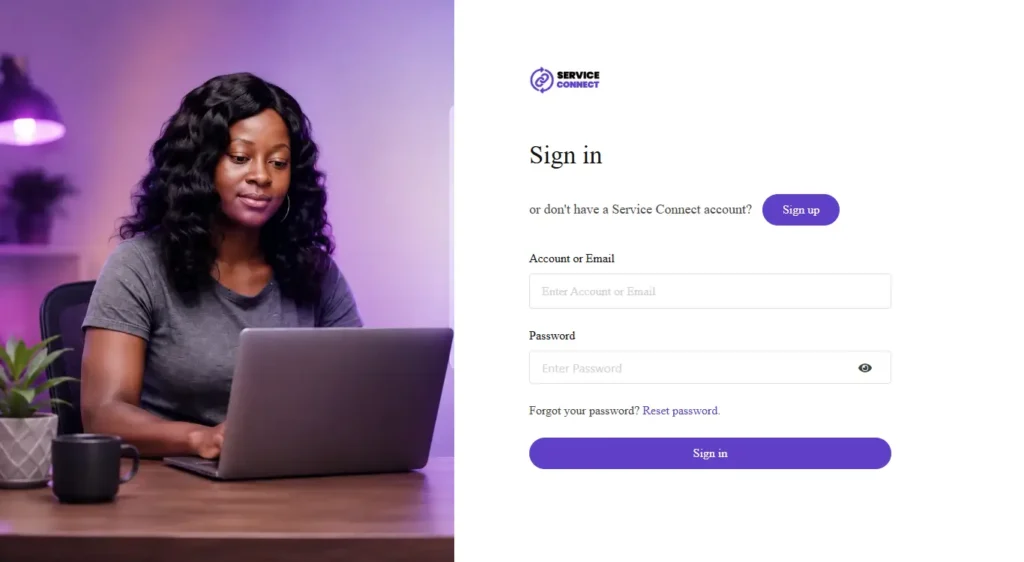
Step 1: Log In to Your Account
Sign in to your Service Connect Malawi account and navigate to your dashboard.
If you do not yet have an account, create one first and complete your profile.
Step 2: Complete Your Profile
Before submitting verification documents, ensure your profile is complete.
Your profile should include:
- Full Name or Business Name
- Profile Photo or Logo
- Contact Information
- Location
- Skills or Services
- Professional Description
Incomplete profiles may delay the verification process.
Step 3: User Verification
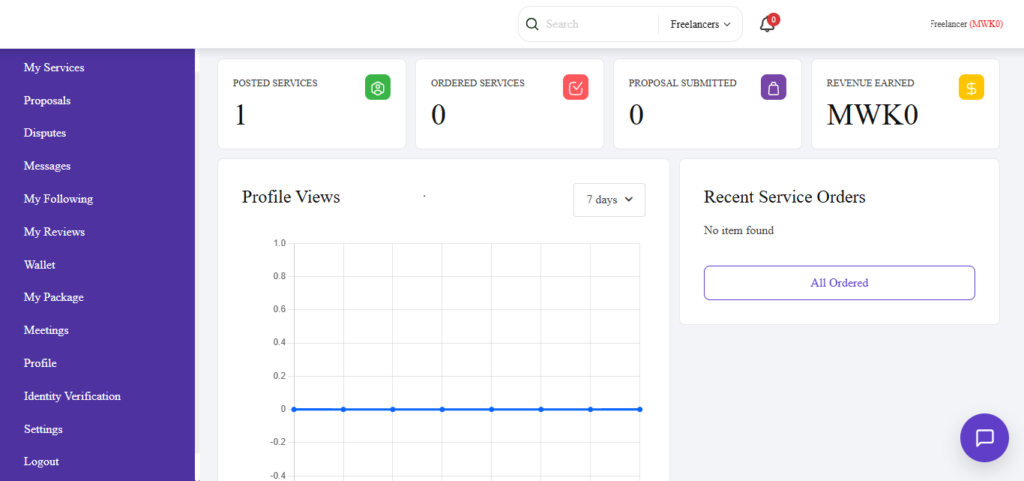
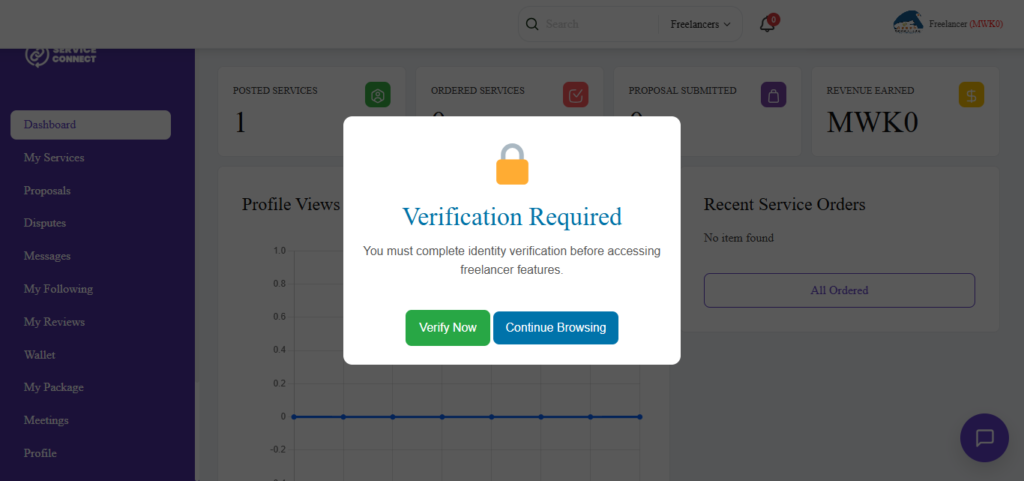
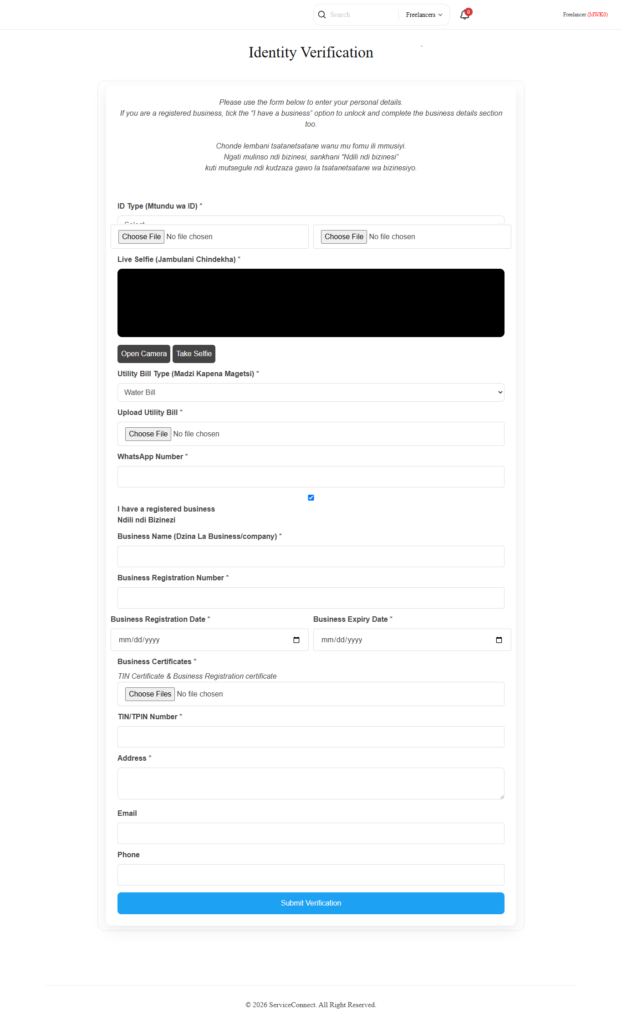
Navigate to the Identity Verification section in your dashboard or Click my Service link a popup window will appear requesting you to verify as shown below.
3.1: Verification of User without a Business
Click Verify Now button and you will be redirected to verification page to fill in details
Tips for Uploading Documents
- Ensure all text is clearly visible
- Upload high-quality images or PDFs
- Take A SELF of Yourself
- Upload Utility Documents Water or Electricity Bill.
- Provide a Valid WhatApp Number
Documents that are blurry, incomplete, altered, or expired may be rejected.
3.2: Verification of User with a registered Business, Company, Organization ...
Click Verify Now button and you will be redirected to verification page to fill in details
Tips for Uploading Documents
- Ensure all text is clearly visible
- Upload high-quality images or PDFs
- Take A SELF of Yourself
- Upload Utility Documents Water or Electricity Bill.
- Provide a Valid WhatApp Number
- Upload Valid Business Certificates plus TIN/TPIN Certificate
When uploading Business documents make sure you upload them all at once (Multiple upload)
Documents that are blurry, incomplete, altered, or expired may be rejected.
Step 4: Verification Review
Once your documents are submitted, our team will review them.
During the review process, we may:
- Verify document authenticity
- Confirm account information
- Request additional documentation if necessary
You will be notified once the review is complete.
Step 5: Receive Verification Approval
If your documents meet our verification requirements, your account will be approved.
After approval, you will:
- Receive a verification badge on your profile
- Be able to create and publish service listings
- Increase trust with clients
- Gain access to additional marketplace opportunities
What Happens if Verification is Rejected?
Verification requests may be declined if:
- Documents are unclear or unreadable
- Information does not match your profile
- Documents are expired
- Required documents are missing
- Submitted information cannot be verified
If your verification is not approved, you will receive guidance on what needs to be corrected before resubmitting.
Benefits of a Verified Account
Increased Trust
Clients are more likely to hire verified freelancers and businesses.
More Opportunities
Verified users can publish services and access more opportunities on the platform.
Professional Credibility
A verification badge shows that your identity or business has been reviewed by Service Connect Malawi.
Better Marketplace Experience
Verification helps create a safer and more reliable environment for everyone.
Verification Tips
To improve your chances of approval:
✓ Use accurate personal or business information
✓ Upload clear and readable documents
✓ Ensure all documents are valid and current
✓ Complete your profile before applying
✓ Respond promptly if additional information is requested
Need Help?
If you experience any difficulties during the verification process, our support team is available to assist you.
We are committed to helping freelancers, businesses, and service providers successfully complete verification and grow their presence on Service Connect Malawi.
Popular Posts





Get Verified Today
Verification is an important step toward building trust, attracting clients, and growing your business on Service Connect Malawi.
Complete your profile, submit your documents, and become a verified member of Malawi's trusted freelance and services marketplace.
Connect. Create. Grow.